
Automatic ONU Import on VSOL OLT
Automatic ONU Import on VSOL OLT
The automatic ONU import is an exclusive feature for VSOL GPON OLTs that allows AdminOLT to periodically sync the ONUs already authorized on the OLT, without any manual action required from the user.
What is it for?
When ONUs are authorized directly from the OLT (via console, CLI, or another system), AdminOLT has no knowledge of those new ONUs. With automatic import enabled, the system detects and registers those ONUs in AdminOLT periodically and automatically.
Disabled by default
How to enable it?
The option to enable or disable automatic import is available per individual OLT:
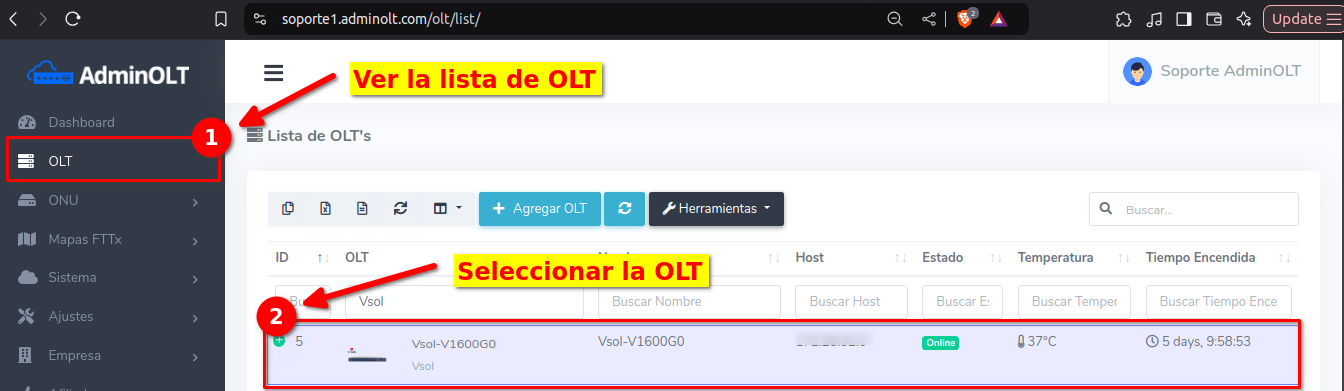
- Go to the OLT list in AdminOLT.
- Select the VSOL OLT you want to configure.
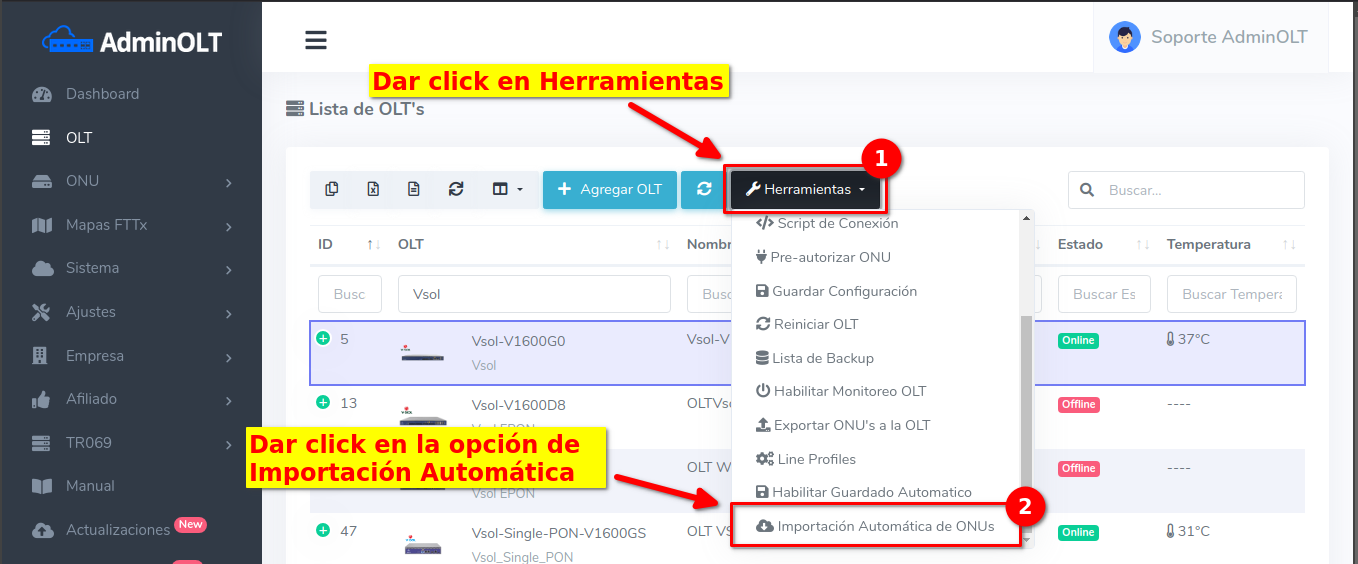
- Look for the Automatic ONU Import option.
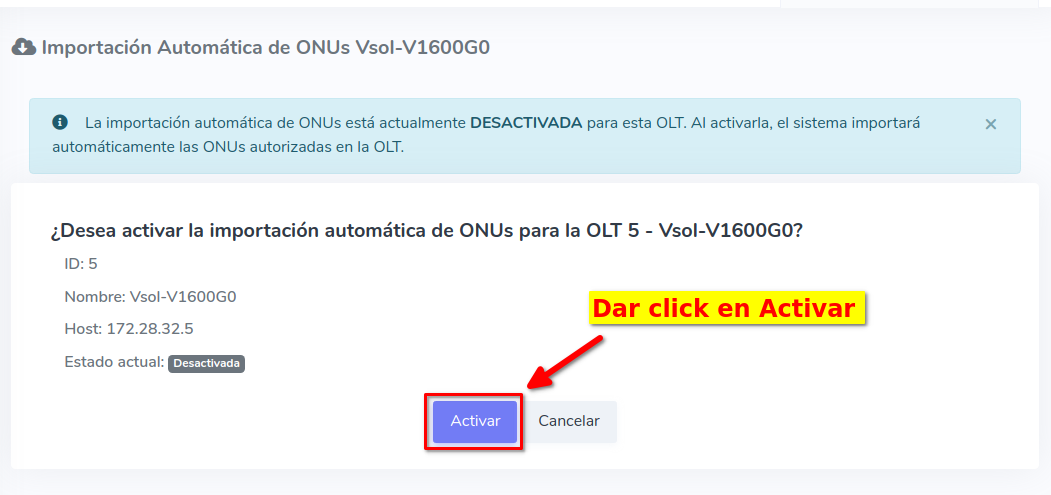
- Click Enable.
Important
1Go to the OLT list in AdminOLT and select the VSOL OLT you want to configure
2Look for the Automatic ONU Import option
3Click Enable
Requirements for the process to run
- The OLT must be VSOL brand.
- The automatic import option must be enabled on the OLT.
- The OLT must have the SNMP read community configured.
Result
The imported ONUs will be available in AdminOLT with their serial number, PON port, speed profile, and status information.
June 29, 2026, 5:14 p.m. - Visitas: 2744