
Add OLT
How to add an OLT?
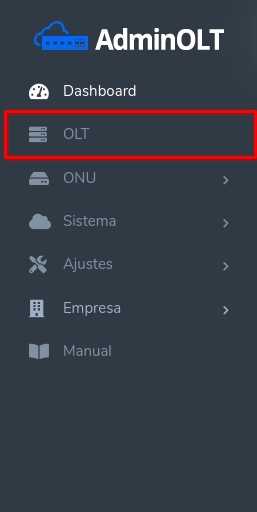
1 Carrying out this is very simple. Access your AdminOLT account through the domain provided to you initially and go to the OLT section.
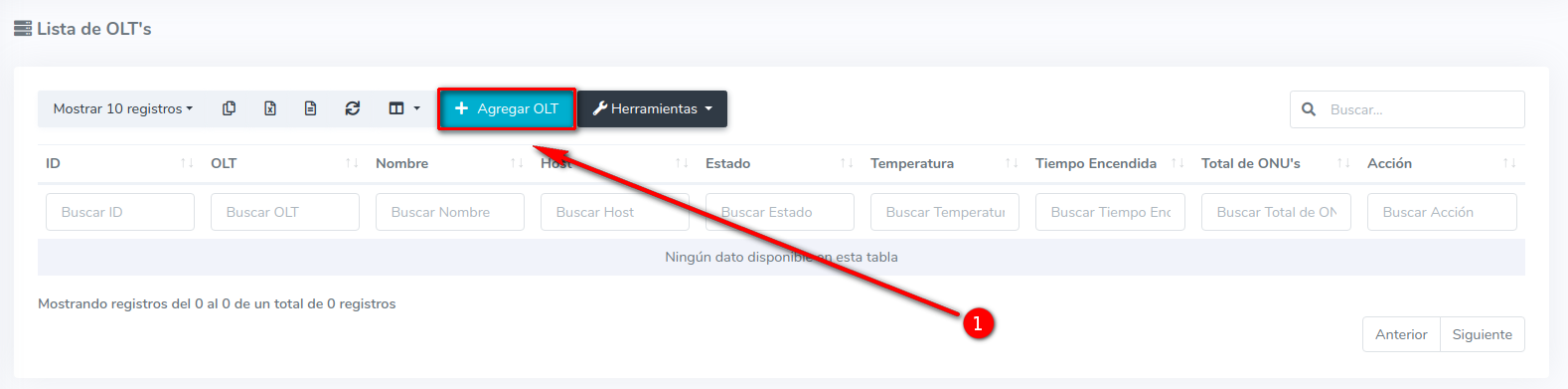
2 Select the option to add OLT
3 Next, you will see the following form.
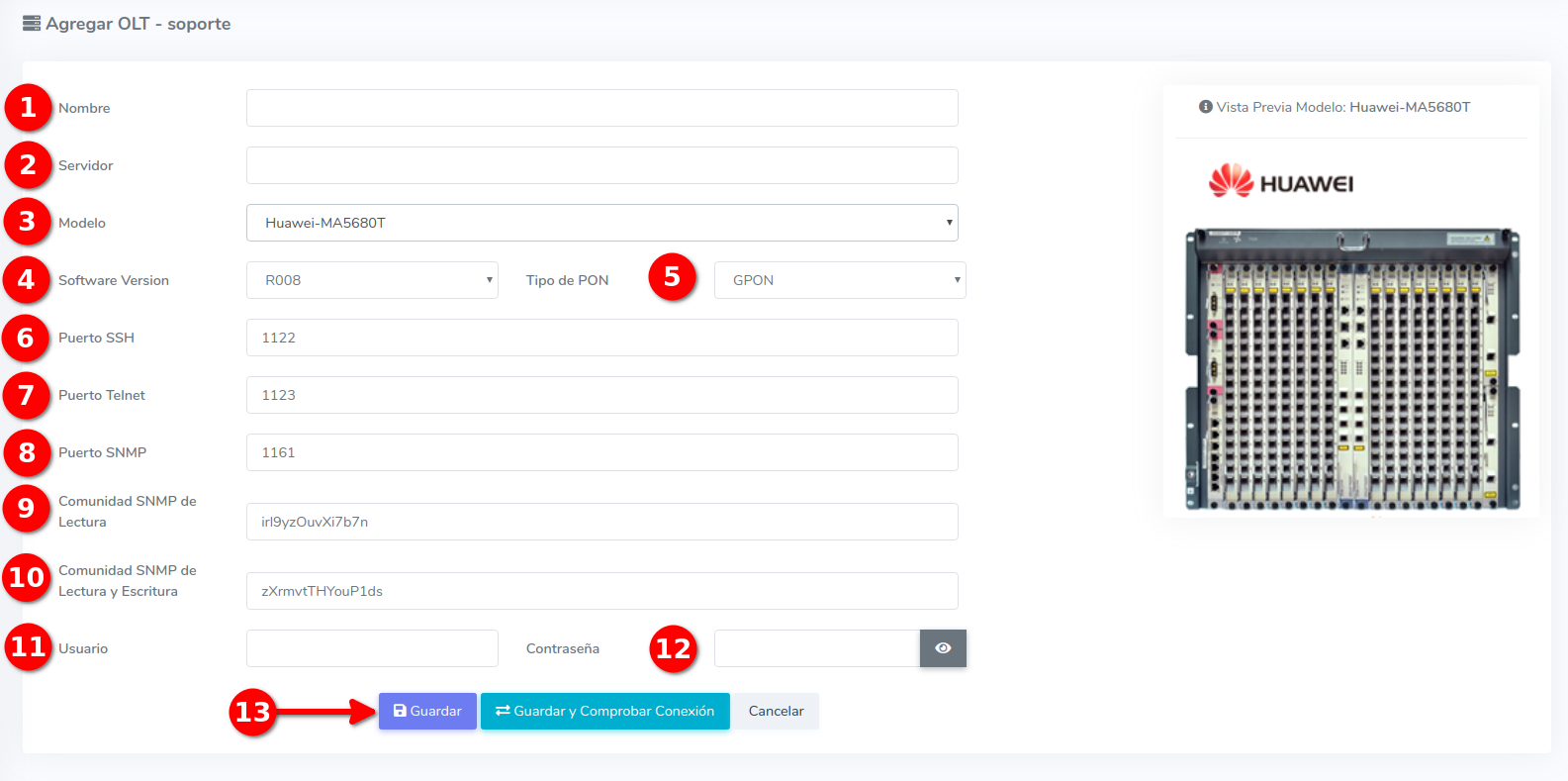
Name: This is defined by you and will not affect the connection.
Server: This is your public IP or your address if hosted.
SSH Port: This port is defined by you from the configuration of your OLT.
Telnet Port: This port is defined by you from the configuration of your OLT.
User: The one entered in the initial configuration
Password: The one entered in the initial configuration
PON Type: The technology used by the OLT. The available options are GPON, EPON and GPON+EPON. For Huawei OLTs, XGPON, XGSPON and GPON/XGPON/XGSPON (mixed OLT) are also available.
SNMP Port: This port will be defined by the user.
Read SNMP Community: This will be defined by the user. (Minimum eight characters and one number)
Read and Write SNMP Community: This will be defined by the user ((Minimum eight characters and one number))
Model: This is the one managed by the user (A preview of the selected model will be presented)
Software Version: This is defined by the user.
Upon completing the form, select the option, save.
Huawei XG-PON / XGS-PON OLT
- XGPON: all PON cards are XG-PON (10G/2.5G).
- XGSPON: all PON cards are XGS-PON (10G/10G).
- GPON/XGPON/XGSPON: the OLT has cards of different technologies. In this case, when authorizing each ONU you will be asked to choose the PON Technology (GPON, XG-PON or XGS-PON).
Telnet and SNMP Service
      EA5800-X2>enable
      EA5800-X2#config
      EA5800-X2(config)#sysman server source telnet meth 0
      EA5800-X2(config)#sysman server source snmp meth 0
SNMP Communities
Note:
April 12, 2024, 3:32 p.m. - Visitas: 46667